Why your enterprise hard drive won't start: the 3.3 V explanation and the Kapton fix
An enterprise hard drive won't spin up on a recent PC power supply? The SATA 3.3 PWDIS pin is to blame, and a piece of Kapton tape fixes it.
Also available in Français
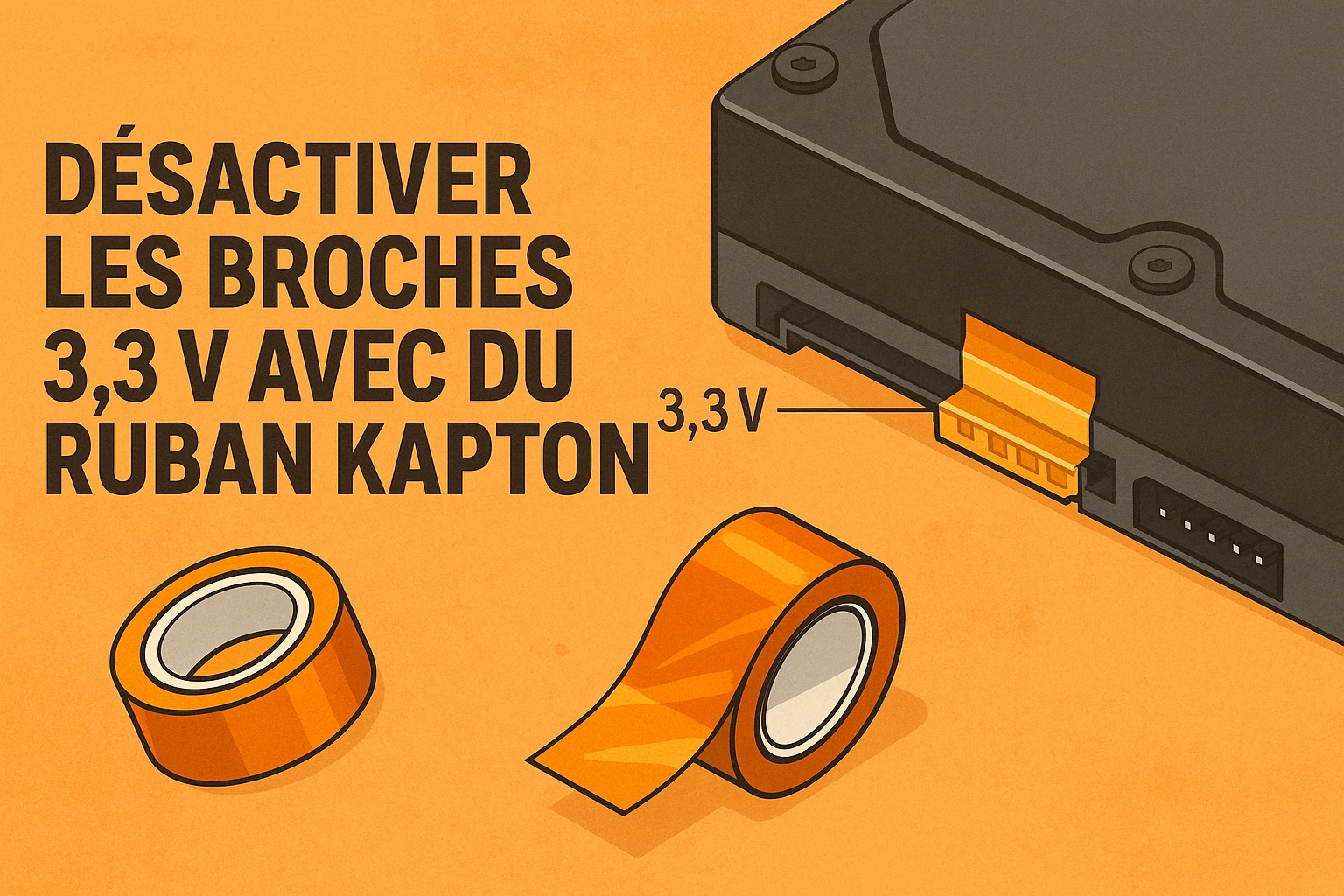
We like to get to the bottom of things.
When I install a hard drive in our infrastructure that stubbornly refuses to spin, I don’t settle for a quick diagnosis. And in many cases — especially with Seagate Exos, HGST Ultrastar or Toshiba Enterprise — the cause isn’t the drive itself, but… the SATA power connector.
🔍 The culprit: the SATA 3.3 standard and the infamous 3.3 V pin
Since the SATA 3.3 standard, three small pins at the end of the power connector have had their role changed.
| Pin | Voltage | Function (SATA 3.3) | Effect |
|---|---|---|---|
| 1 | 3.3 V | Power | — |
| 2 | 3.3 V | Power | — |
| 3 | 3.3 V | PWDIS (Power Disable) | Allows the drive to be disabled remotely |
Enterprise drives, often designed for Dell, HP or Supermicro servers, interpret pin 3 as a disable command.
👉 Result: if your PC power supply sends 3.3 V on this line, the drive thinks it’s being told to shut down. It doesn’t spin, doesn’t heat up, and stays invisible in the BIOS.
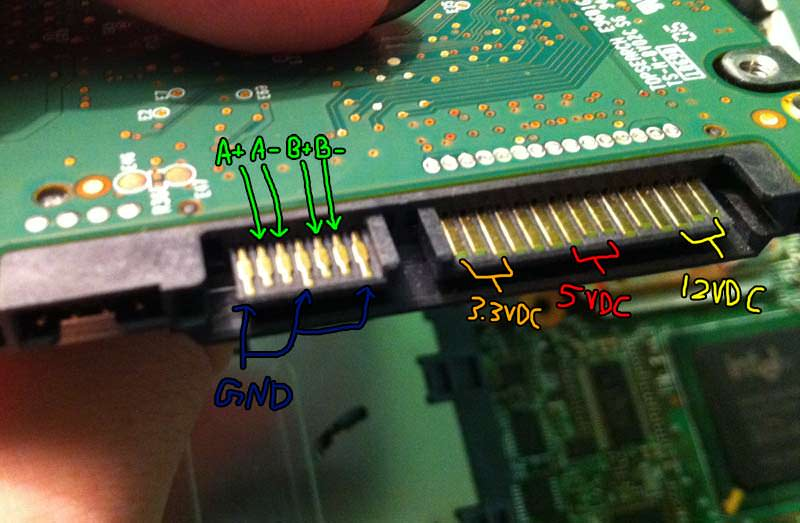
⚡ Why some power supplies cause problems
Modern power supplies (such as the Corsair CV550, BeQuiet!, Cooler Master or consumer Seasonic) strictly follow the SATA 3.3 standard.
They therefore deliver the 3.3 V (the famous orange wire) to the SATA connector pins.
On a standard drive, no problem.
But on an Enterprise drive, this voltage activates the PWDIS signal, which blocks any startup.
And even if you remove the orange wire, some models still cause problems:
- the SATA connector can make mechanical contact with pins 1–3,
- an internal rail of the power supply can feed back a faint stray voltage,
- or the internal wiring keeps the pin active despite no visible wire.
👉 The drive therefore stays disabled, even without a visible orange wire.
🧠 Known (and tested) solutions
| Method | Description | Reliability | Drawback |
|---|---|---|---|
| Molex → SATA adapter | The Molex doesn’t carry 3.3 V (only 5 V & 12 V). | ⭐⭐⭐⭐ | Requires an adapter. |
| “No 3.3 V” SATA extension | Cable without the orange line. | ⭐⭐⭐ | Varies by model. |
| Kapton tape over pins 1–3 | Physical isolation of the first 3 pins of the SATA connector. | ⭐⭐⭐⭐⭐ | You have to aim carefully! |
| Classic tape / Teflon | Insulators, but neither durable nor heat-resistant. | ⭐ | Temporary use only. |
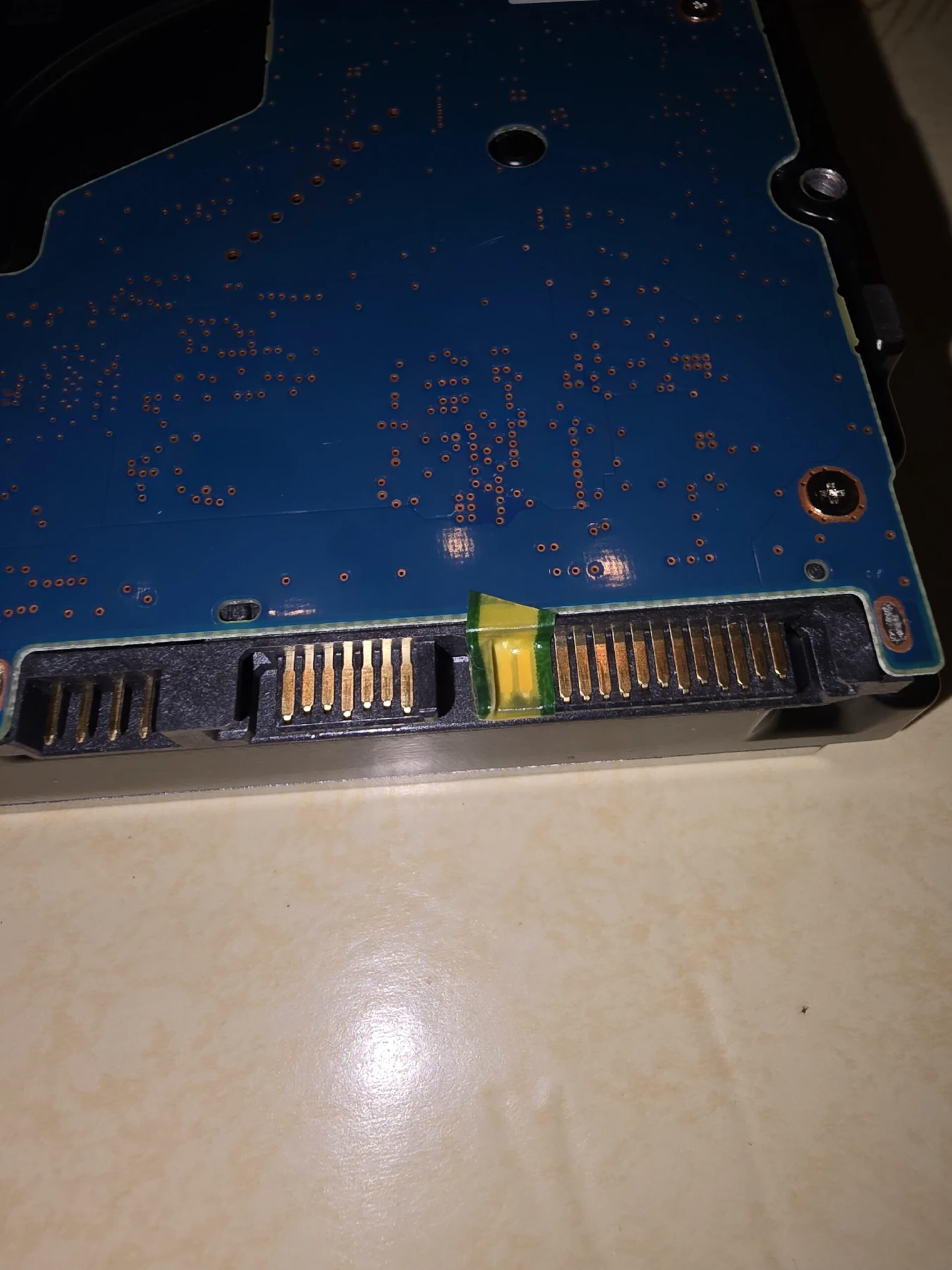
Okay, this isn’t actually Kapton, but it was just for testing!
🟡 Why Kapton is the best solution
Kapton (polyimide) is an insulating tape designed for electronics:
- it resists heat (up to +260 °C),
- it leaves no residue when removed,
- it’s ultra-thin, so the SATA connector slides on without forcing.
To neutralize the 3.3 V line, simply:
- Cut a small rectangle (~5 × 3 mm),
- Stick it over the first 3 pins on the left of the SATA connector (gold-contact side),
- Reconnect the power cable.
Your drive will start up instantly — with no permanent change to the wiring.
🧩 Summary
| Symptom | Probable cause | Solution |
|---|---|---|
| The drive doesn’t spin | Active 3.3 V line → PWDIS blocked | Kapton on pins 1–3 |
| The drive works in a server but not on a PC | Server backplane cuts the 3.3 V | Molex → SATA adapter |
| The SATA cable without the orange wire changes nothing | Internal rail still active | Physical isolation required |
🧰 Conclusion
This small design detail, invisible to the naked eye, explains hundreds of false “dead drive” diagnoses every year.
Around here, we prefer understanding over replacing.
So before sending back a “dead” drive, check your cables, your rails… and if needed, take out the Kapton tape.
💡 Tip: if you often work with Enterprise drives, always keep a few Molex → SATA adapters and a roll of Kapton tape in your workshop.
It will save you a lot of cold sweats.